Nothing to remember
Every advance you record for an employee is saved the moment it happens.
Balances at a glance
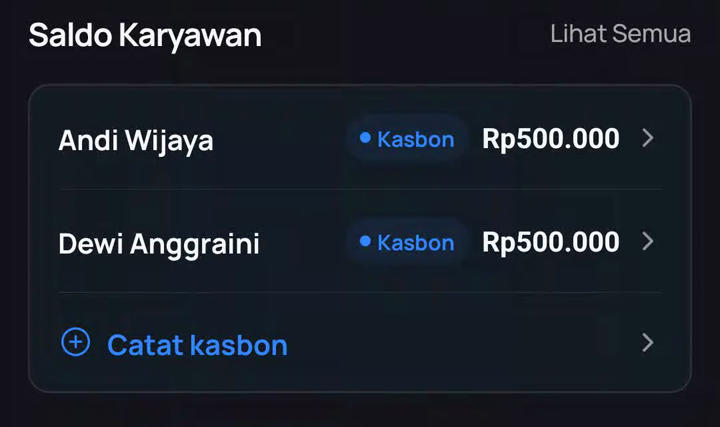
The Overview screen shows who still holds company money, and how much.
No awkward conversations
The numbers are clear for both sides, so settling up is quick and fair.
How it works
- Record the advance On the Overview screen, find "Saldo Karyawan" and tap "Catat kasbon". Pick the employee, enter the amount, done.
- Watch the balance Each employee's balance updates automatically as advances and their recorded expenses come in. Tap a name to see the full history.
- Settle when it's paid back When the employee returns the money (or it is offset by expenses), settle the balance to zero. The settlement is recorded in your books.
Good to know: settled expenses and advances are protected from accidental edits, so your records stay consistent with what was actually paid.
When you'll use it
Market runs
Give your staff cash for the morning market run, reconcile with the receipts they scan.
Field work
Drivers and sales reps get advances for fuel and tolls; balances stay visible.
Salary advances
An employee asks for kasbon before payday: record it once, never lose track.